
LATEST POSTS
SETUP SELF-HOSTED GIT SERVER ON LINUX
With the enshittification of Github and potentially, Bitbucket with AI tools and changes in terms of services where the owners of those platforms could decide to start training their AI models on proprietary code, I decided that it was time to host my own This post is to set it up on a Debian system. This is not using any of the web-UI front-ends like gitea or gogs or gerrit. This post describes setting up the bare-bones A web-UI like those mentioned above are not necessary to use This post will also show how to use |
| Posted on by Vikas N. Kumar. |
SETTING UP INBOUND AND OUTBOUND CALLING ON PHONE SYSTEM WITH ASTERISK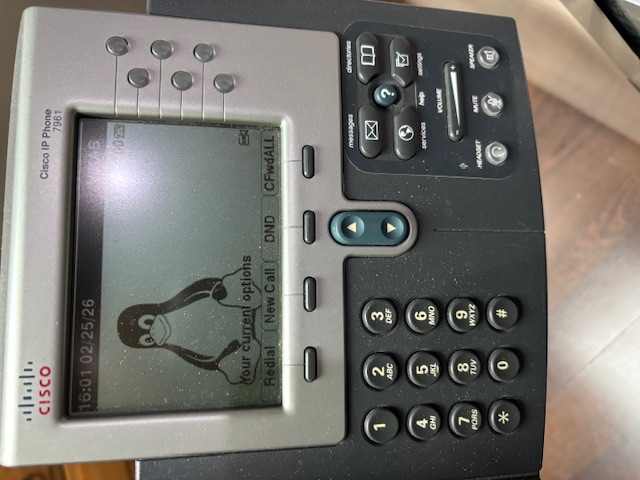
Previously we saw how to setup and internal phone system using Asterisk and old Cisco® phones with extensions. You could call any phone extension in the system directly. However, it did not do any outbound calling to actual phones or receive inbound calls from them. This post explains how to use a VOIP provider like Twilio or Vonage or VOIP.ms using the concept of SIP Trunking. By setting up the Asterisk system to use SIP trunking, the phone system can now make outbound calls and receive inbound calls from regular phones. Back in the day, the USA had analog telephones, commonly known as POTS or PSTN, but in the last ten years or so these telephones have completely disappeared and replaced with VOIP phones. Historically, you would have needed a custom PCI-E card to convert your VOIP to POTS technology, but today you do not need that anymore. You can use a VOIP service provider like Twilio or Vonage or VOIP.ms and be successful at doing calls to regular phones. All over the internet using your existing internet connection without paying too much extra. Read More → |
| Posted on by Vikas N. Kumar. |
SETTING UP AN INTERNAL PHONE SYSTEM WITH OLD CISCO® IP PHONES AND ASTERISK
In 2020, I wrote a post on updating firmware on old Cisco® IP phones, and I got carried away by other projects and this project went on the backburner. This year I decided to complete this project, so that I could use these wired VOIP phones as an internal phone system across multiple rooms, where I could dial a number and speak to a person in a different room. I use this to interact with my family members when I want to ask them something and do not want to walk over for whatever reason. Asterisk is an open source PBX - Private Branch Exchange software that I used to set this up. The process is a bit involved and is tricky to get right if you miss something in the configuration. I will describe the process in detail in this post. Note that this post does not describe a setup for making outbound calls or receiving inbound calls on actual landline phone numbers. This is for creating a custom extension per phone, and calling those extensions, similar to what you find in hotels, where you can call one room to another by dialing that room’s number. Read More → |
| Posted on by Vikas N. Kumar. |
WATCHING STREAMING VIA ROKU ON A SUPERSONIC FC9600 CRT TV
On a recent visit to a local hamfest in Parsippany, NJ I ended up purchasing a used portable 5.5” CRT TV with AM/FM radio and a cassette player for $5. I have recently been interested in procuring one of these just to have it, and this was a great opportunity to get one for cheap, in cash. However, I did not know if it worked or not. There was no power cable, and the seller did not have the 10 “C”-size batteries needed for a demo. Yet, I purchased it thinking that if something does not work I will learn to repair it. This TV did not have any markings besides the word SUPERSONIC on it, so I started doing some research on the web on how to identify and find details on the TV. Read More → |
| Posted on by Vikas N. Kumar. |
BUILD A MULTI-GPU CLUSTER FOR HASHCAT WITH LINUX AND NVIDIA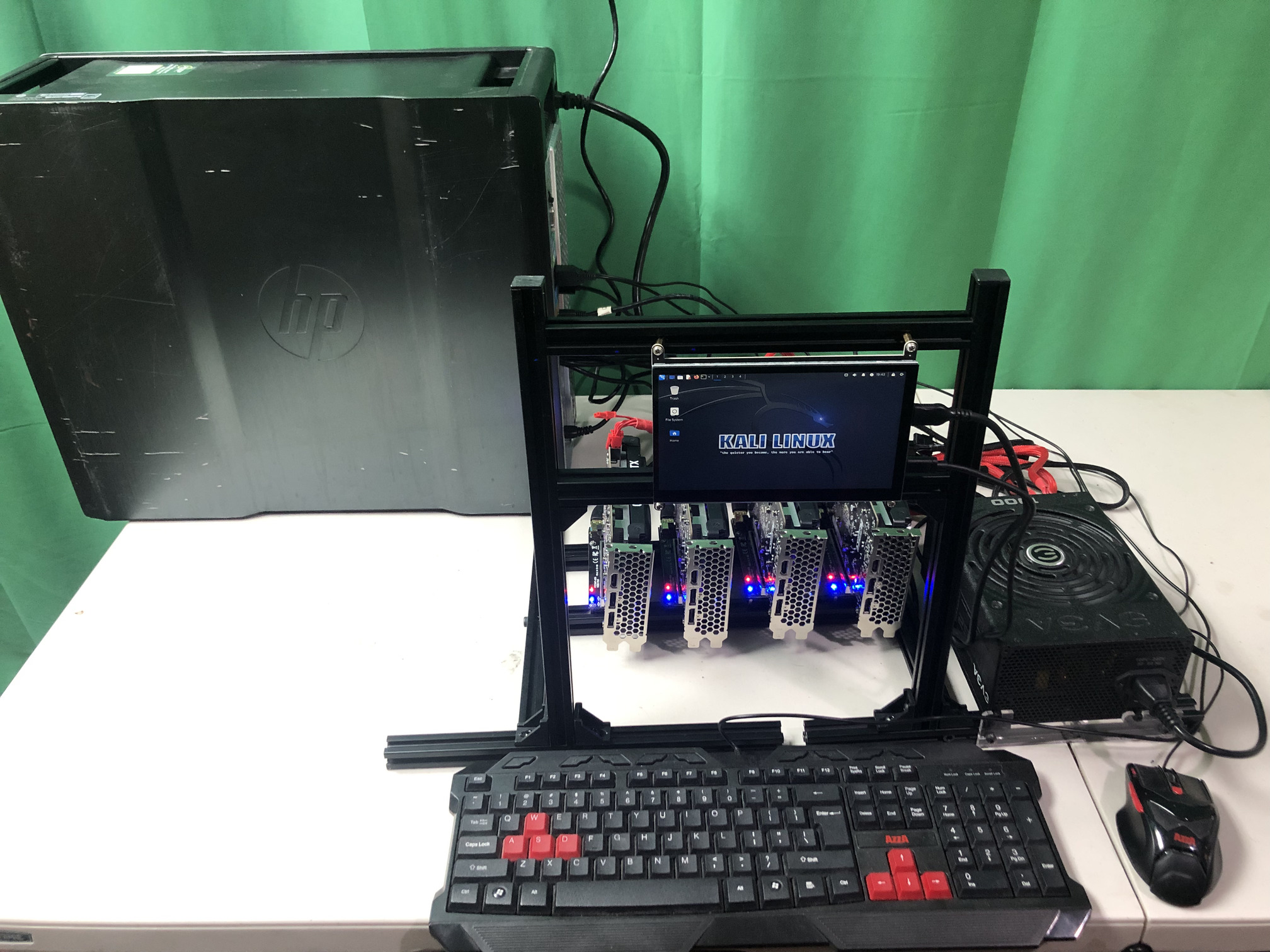
Building a multi-GPU Hashcat password cracking cluster can be very economical if you choose a combination of budget GPUs with a reasonable hash rate. Nowadays, due to the AI craze and before that due to the cryptocurrency craze, there has been a serious price inflation and price gouging by GPU vendors, such as NVIDIA, for graphics cards that can perform a lot of password cracking at scale. In this post, I show you how to build a multi-GPU cluster and achieve a better price/performance ratio with several budget GPUs as compared to buying one expensive one. The goal for my use case is to optimize on both price and risk. There is a risk that if you run a lot of password hash cracking on a GPU, that it may wear out earlier. When you use budget GPUs, you may wear them out but they are cheaper to replace, and hence, cost effective. Except for the GPUs, and their PCI-E risers, everything else I bought pre-owned on online marketplaces, since you don’t need some parts to be new. I used 5 GPUs for this cluster, and a 6th one can be added to it. This is a self-contained cluster and you do not need a monitor as I use an HDMI screen as part of it. NOTE: This cluster can be used for machine learning and other CUDA programming too! Read More → |
| Posted on by Vikas N. Kumar. |
| Pages: | | | 1 | | | 2 | | | 3 | | | 4 | | | 5 | | | Older → |
 Donate BITCOIN to 19hrWWw1dPvBE1wVPfCnH8LqnUwsT3NsHW.